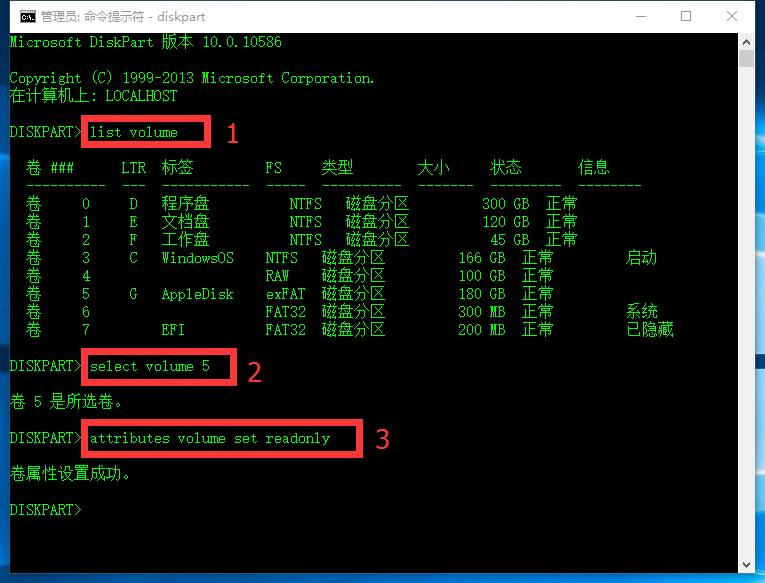
如何设置指定的硬盘分区为只读模式?
设置只读模式步骤:
1、管理员模式打开CMD;
2、输入 diskpart,回车;
3、输入 list volume 获得分区列表;
4、输入 select volume [number] 指定分区;
5、输入 attributes volume set readonly 设置只读模式。
如何取消硬盘分区的只读模式?
取消只读模式步骤:
1、管理员模式打开CMD;
2、输入 diskpart,回车;
3、输入 list volume 获得分区列表;
4、输入 select volume [number] 指定分区;
5、输入 attributes volume clear readonly 取消只读模式。
注意,如果要设置指定硬盘(不是分区)为只读模式,只需要在第五步分别设置:
设置硬盘为只读模式 attributes disk set readonly
取消硬盘的只读模式 attributes disk clear readonly
即可。